



Natural leather · CO₂ application guide
Laser cutting leather can produce detailed shapes for wallets, keyrings, covers and other small goods. A suitable CO₂ laser can also engrave a design into the surface. Start with natural leather that is suitable for your machine. Make a sample, then check its cut edges, finish and fit before making products for sale.
The short answer
Choose the leather before choosing the settings. For this guide, start with vegetable-tanned natural leather whose exact type and finish are known. Confirm with the supplier and your machine guidance that it is suitable for laser processing. Vegetable tanning describes how the hide is treated; it does not mean that the finished leather contains no dyes, oils or coatings. Keep chromium-tanned leather, PVC-containing material and unidentified substitutes out of this workflow.
What laser cutting leather changes
Cutting separates a shape from the sheet. Engraving changes or removes a small amount of the surface to make a design. A shallow outline is a third operation: it marks a line without cutting the whole piece free. These operations need separate settings and separate quality checks.
A cut edge may be darker than the face of the leather. That can suit a rustic keyring, but be unacceptable on a pale wallet lining. Decide what the edge should look and feel like before trying to make it faster. Our CO₂ materials guide explains where leather fits alongside other workshop materials.
Confirm the complete material, not just the name
Ask the supplier for the product code, tanning method, thickness range, colour and details of any surface treatment or backing. Request a safety data sheet, where available, and written information about suitability for laser cutting or engraving. Read the safety data sheet, or SDS, for information about hazards. Also ask whether the exact product is suitable for laser processing.
| Material offered | What to check | What to do |
|---|---|---|
| Vegetable-tanned natural leather | Product code, dye, finish and supplier laser guidance | Confirm it is suitable for your machine before making a sample |
| Chromium-tanned leather | Tanning information from the supplier | Keep it out of this process. Never burn a scrap to check whether it is safe |
| Leatherette, faux or vegan leather | Every layer, including plastic, glue and backing | Keep it outside this natural-leather guide. Ask the supplier what it contains |
| Reclaimed leather or an unidentified finished item | What it is made from and how it was treated | Pause the job if the supplier cannot identify the material |
PVC is a chlorine-containing plastic and must not be processed. Polyurethane, often called PU, is a different plastic from PVC. This guide does not recommend PU-based faux leather. Follow the material restrictions for your exact machine, and check coatings, glue and backing as well as the visible surface. Our natural-materials application page explains common applications. Confirm the exact leather with your supplier before using it.
Judge the edge before optimising the cut
Let the sample cool, then check it as the customer will receive it. Look at both faces and the edge. Check whether loose dark residue transfers during normal handling and whether the material still bends as the product needs it to.
| What you find | What it means for the product | A useful next check |
|---|---|---|
| Dark edge with little loose residue | The colour may suit the design | Compare it with the sample agreed with your customer |
| Black material rubbing onto a light surface | The edge needs further work before sale | Review the process and supplier-approved finishing method |
| Fibres still joining the cut parts | The outline has not separated completely | Check material flatness, thickness and the documented setup before changing settings |
| A tab fits too loosely | Material removed by the cut may have changed the fit | Measure the cut part and check the fit before adjusting the drawing |
| Curling or an uneven result | The sheet or surface height may have changed during the job | Confirm flat support and focus using the exact machine instructions |
The width removed by the cut is called the kerf. It matters when two pieces must meet, a tab must fit a slot or a cover needs an accurate finished size. Do not assume a kerf value from another material or machine.
Build a small test around the finished product
Confirm that the material is suitable before making a laser test. Ask your AEON contact for starting settings for your exact machine, laser source, lens and leather. A power percentage copied from a video can give a different result on your laser.
- Include the difficult details. Put a short straight cut, a curve, an inside corner and the smallest useful feature on the sample. Add engraving only if the finished product needs it.
- Keep the setup consistent. Record thickness, support, focus method, extraction and air-assist arrangement. Air assist directs air towards the processing point; it does not replace fume extraction.
- Change one setting at a time. Keep the rest of the setup the same so you can see what made a difference. If you use LightBurn, its Material Test tool can organise a small comparison. Confirm the speed units before running it.
- Inspect the whole result. Check release from the sheet, size, edge residue, engraving legibility and flexibility after cooling. Handle the sample as well as looking at it.
- Make one complete item. Assemble the wallet, fit the keyring or check the cover. A good flat sample may still need design changes when folded or stitched.
Keep the machine attended and follow its fire and extraction instructions. Do not add a mask, tape, adhesive or cleaning chemical without confirming that it is compatible with the material and process. Stop if the material behaves unexpectedly; if a cut is incomplete, check the cause before running it again.
A leather wallet is more than a laser outline
Italian creator Riccardo Muscarella's leather-wallet project with an AEON MIRA 5S connects laser work with the wider task of making a usable product. The original title identifies cutting and sewing, which makes this a relevant starting point for thinking about assembly as well as shape. The project is part of an AEON creator collaboration. Use it for ideas, then confirm your own leather and machine settings separately.
For a card holder, agree the finished size, position of the folds and space around the stitching before producing a batch. Check that the design does not leave a narrow, weakened strip beside a hole. Assemble the item and check how it holds up during the use you have designed it for.
Choose the machine around the sheet and the work
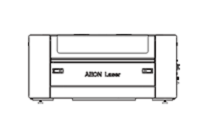
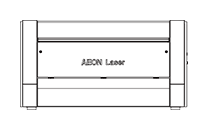
Bring the largest expected pattern, the actual leather and a design that is typical of your work to the machine discussion. Our MIRA 5S product information is one starting point for a compact-workshop discussion; test your own leather and design to check whether the proposed machine suits the job. Ask how the sheet will lie flat, how much usable work area the layout needs and how small pieces will be supported. If the job combines cutting and engraving, have both operations demonstrated on the proposed configuration.
Separate laser running time from loading, handling, finishing and assembly. A larger layout may reduce reloads, but it may also tie up more material when a design changes. Run a typical job and count the finished pieces that meet your quality checks. Include loading, finishing and assembly time when comparing machines.
The test request should identify your country and exact machine configuration. Support, documentation and available options vary by market. Keep the material choice and sample results with the quotation so the production requirement stays clear.
Keep a simple leather job record
Save a photograph and one physical reference sample with the file. Record the supplier and product code, batch, colour, thickness range, tanning and finish information, machine and source, lens, settings with units, setup and agreed acceptance checks.
Add the time needed for handling, approved cleaning, finishing and assembly. Note any rejected pieces and why they failed. Check new deliveries against your reference sample. Make another test if the finish, thickness, feel or supplier specification changes.
Frequently asked questions
Can a CO₂ laser cut and engrave the same leather?
Yes, if the exact leather is suitable for both operations. Cutting separates the shape; engraving changes the surface. Test each operation and check the finished item. Before cutting through the leather, confirm that any backing is also suitable.
Is vegetable-tanned leather automatically suitable?
No. Vegetable tanning describes one part of its manufacture. Dyes, oils, finishes, adhesives and backing can still matter. Confirm the complete product with the supplier and your machine guidance before any laser trial.
Does laser cutting always leave a black edge?
Edge darkening can occur, but appearance and residue vary with the material and process. Agree an acceptable sample instead of promising an unchanged edge colour or a completely residue-free cut.
Can I use chrome-tanned leather?
Keep chrome-tanned leather out of this process. Ask the supplier to confirm the tanning method before using the leather, and follow the restrictions for your exact machine. Do not use a test burn to decide whether it is safe.
Can I cut leatherette using the same settings?
No. Leatherette can contain plastic, glue and fabric backing. This guide does not recommend PU-based faux leather. A PVC-free label is not enough: follow your machine's material restrictions and identify every layer before considering any laser use.
What are the best settings for laser cutting leather?
There is no universal set. Start from guidance for the exact machine and an accepted material, then make a small test while keeping the rest of the setup the same. Record power, speed with units, lens, focus method, air assist and extraction so the result can be reproduced and checked.
Should I engrave before cutting?
Plan the sequence so the design stays in position and loose parts do not shift. Engraving while the material is still held in the sheet can help with registration, meaning the alignment between operations. Check the order of operations on a complete sample and follow your machine instructions.
Can a laser-cut leather part be used in any finished product?
No. Check the finished product for the way it will be used. For example, check that a strap can carry its intended load. For a product worn against the skin, choose materials and finishes suitable for skin contact. Follow any product-specific testing requirements before selling it.
Plan a useful material trial
Prepare a small pack containing the identified leather, supplier information, largest pattern, most detailed artwork and one example of an acceptable finished edge. Use our applications overview to compare your wider material needs, then discuss the actual samples with the AEON channel for your country.
Sources checked: 21 October 2026. Supporting references include our application and materials pages, AEON Laser USA's material restrictions as a clearly identified U.S. support reference, and the linked LightBurn documentation. U.S. support guidance does not replace your market's machine documentation. The accompanying product illustration is AI-generated and does not show a measured AEON test result.
Technical guidance: This article provides general information. Follow the manual and approved-material guidance for your exact machine, your workplace risk assessment and applicable local requirements. Settings and examples require testing on your own material and configuration. Machine configurations and requirements vary by country.
Editorial disclosure: This article was drafted with generative artificial intelligence (AI). Technical information was checked against relevant AEON manufacturer documentation and the cited sources. Machine configurations and requirements vary by country; check your exact machine documentation and applicable local requirements before using this guidance.